DriveChk
A real health check for every drive in your Mac.
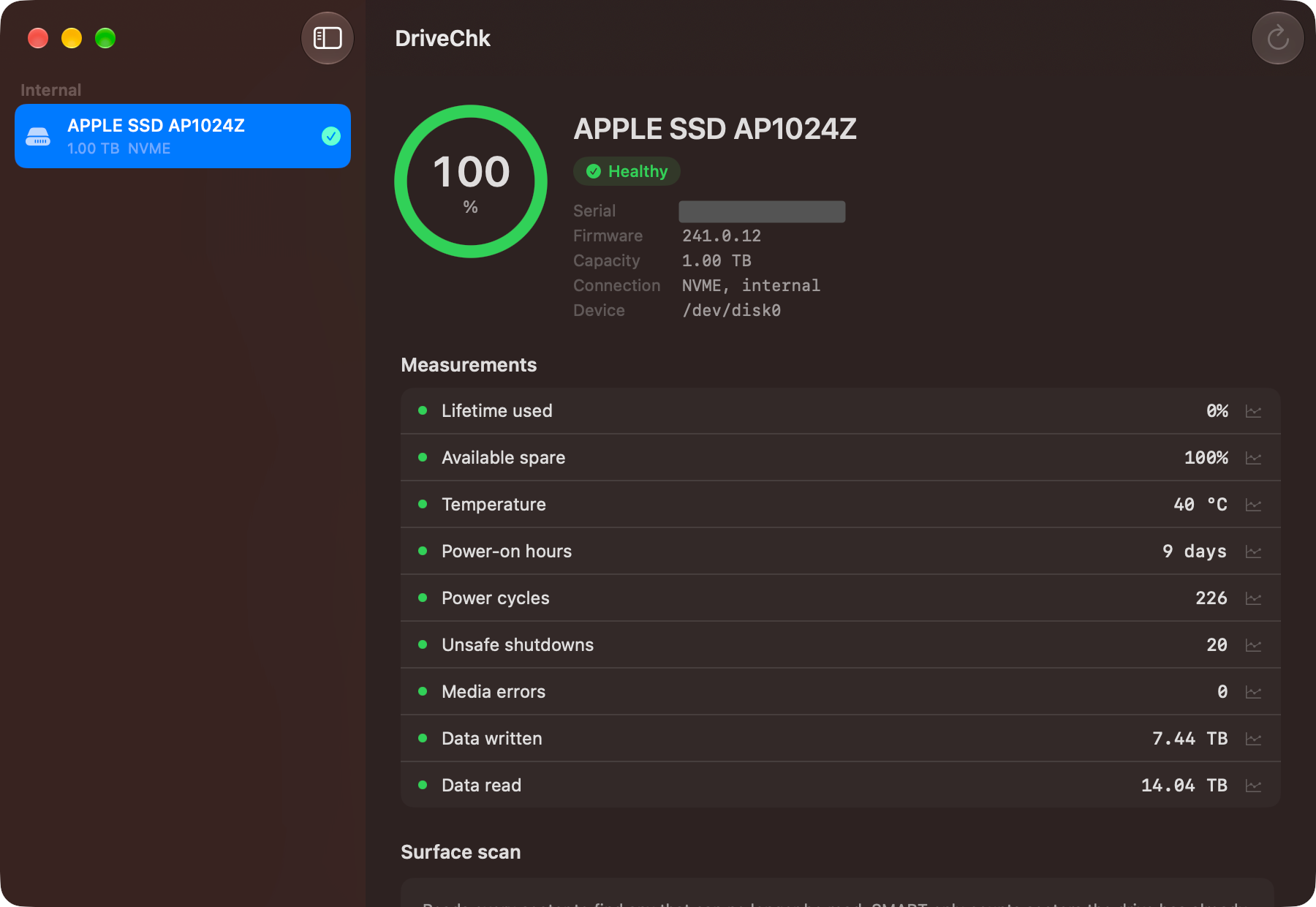
DriveChk tells you the condition of every drive in and attached to your Mac, and shows its reasoning rather than a bare percentage.
Three kinds of check
- What the drive already knows — SMART data read straight from the hardware and interpreted against a knowledge base of what each attribute means on that kind of drive, rather than reprinted as raw numbers.
- What it finds when asked to test itself — short and extended self-tests, started deliberately and never on a schedule, because an extended test on a drive that is already failing can be what finishes it off.
- What is unreadable right now — a read-only surface scan that walks the raw device looking for sectors that no longer answer, and maps where they are.
Two numbers, not one
Health is how much margin a drive has left. Status is where it is heading. A drive can read full health and still be flagged — that is the warning you can still act on, and it is the part most tools collapse into a single green tick.
Change is measured in the drive's own running hours rather than calendar days, so a disk that spends most of its life asleep is not judged as though it had been spinning.
External drives
USB enclosures are the hard case, and DriveChk is honest about which is which. Thunderbolt and USB4 enclosures work with no setup. Most plain USB enclosures need a small pass-through driver, with a guide written for the Mac you are using. Some cheap bridge chips cannot pass health data at all, and no software changes that — a surface scan still works on any of them.
Nothing about your drives leaves the Mac. One-time purchase with a free three-day trial, one Mac at a time, no subscription. Signed and notarized and distributed directly rather than through the Mac App Store, because the App Sandbox blocks the IOKit access that reading SMART requires. Requires macOS 15 or later, on Apple Silicon or Intel.